
Your Store on Colombia Move — One Link, Every Listing
One URL for everything you sell. Cover images, pinned listings, follow buttons, a lead form, QR codes, and a short colombiamove.com/username URL — here is how to use it.

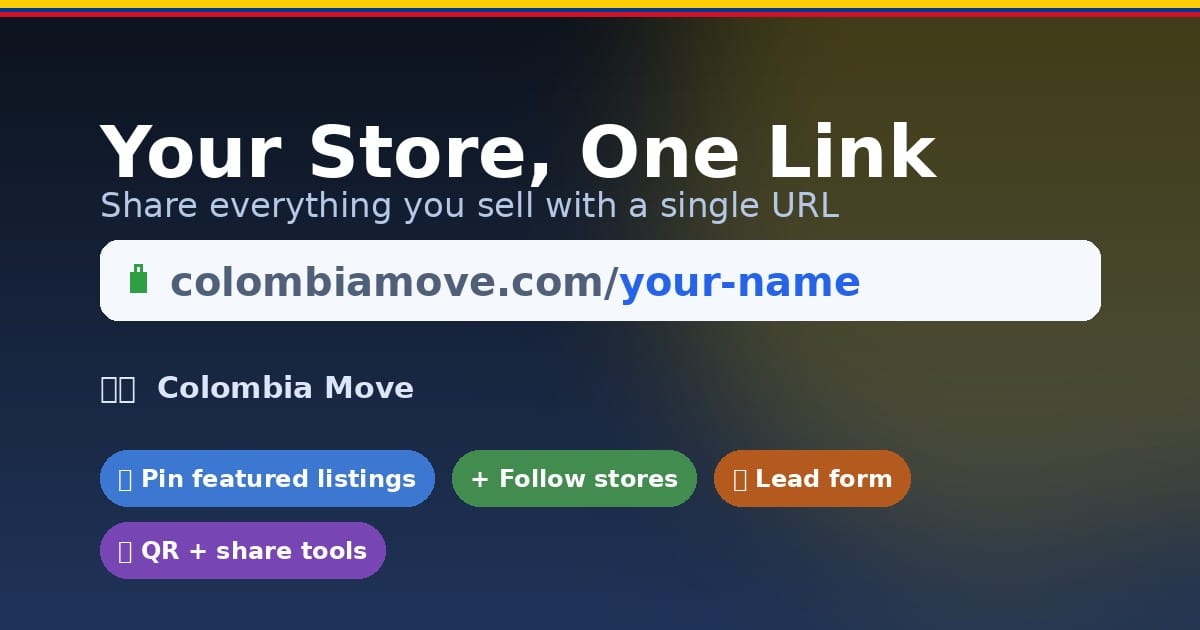
If you sell on Colombia Move, you don't have to send every buyer a separate link for every listing you have. Your store page pulls everything together — fincas, casas, servicios, anuncios — into a single URL you can share on WhatsApp, print on a business card, or drop into your Instagram bio.
This post walks through everything we shipped for store pages, why we shipped it, and how to start using yours today. The short version: your URL is colombiamove.com/your-username.
Why we built this
Most sellers in Colombia were already cross-posting across WhatsApp groups, Facebook Marketplace, Instagram, and a few listing sites. What they didn't have was one link that showed a buyer everything they sell — and one place where buyers could trust who they were talking to. We wanted to fix that with a page that:
- Shows every active listing the seller has, always up to date.
- Signals trust — verified badges, reviews, response time, last active.
- Works as a landing page the seller is proud to share.
- Lets buyers message through the site or through WhatsApp/Facebook, whichever the seller prefers.
A short, clean URL
Your storefront now lives at colombiamove.com/followed by your username. No more /tienda/ prefix. If you've changed your username before, the old link keeps working — we 308-redirect the legacy URL to the new one, so QR codes and screenshots you've already shared don't break.
Change your username at any time in your profile and the link updates everywhere automatically — your store, your listings' seller byline, your QR code, and the share preview.
Cover image
Upload a wide 4:1 cover image from the Profile page. The same image appears as the banner on your storefront — one upload, two surfaces. Use it for a logo, a photo of your team, a photo of a featured property, or the Colombian landscape that represents what you sell.
Pin your best listing
Every listing detail page now has a "Pin to store" button when you're the owner. Click it and that listing renders as the big featured card at the top of your store grid — whatever you want buyers to see first. Real-estate brokers: this is your hero property. Service providers: this is your signature service.
Buyers can follow your store
Logged-in visitors see a Follow button on your store. When they follow, they're subscribing to your inventory — so the next time you post something new, they're already primed to come back. Your follower count shows up in the header as social proof ("47 seguidores"), the same way it does on Instagram.
Capture buyers who don't see what they want
At the bottom of every active store page there's a "¿No encuentras lo que buscas?" form. A buyer types their name, WhatsApp or email, budget, and a short message describing what they're looking for — you get an email and a bell notification with the content. This is the single highest-ROI feature for real-estate brokers. Every lead gets stored in your Lead inbox at colombiamove.com/mis-anuncios/leads where you can mark read, delete, or tap their contact to open WhatsApp.
Getting spam? Toggle the form off in your Lead inbox. Visitors stop seeing the form and the API rejects submissions. Flip it back on whenever you want.
Share tools built in
When you view your own store you see a "📣 Comparte tu tienda" strip above your listings with three one-tap actions:
- WhatsApp — opens a pre-written share message with your store URL.
- Copy link — copies the short URL to your clipboard.
- Download QR — a high-resolution PNG you can print on business cards, flyers, or post in your Instagram bio as a story sticker.
The QR encodes the short URL, so even older printed QRs keep working (they 308-redirect).
Looks good when shared
When you paste your store link into WhatsApp, Instagram DM, Twitter, Facebook, iMessage, or any app that unfurls links, you'll see a branded preview with your cover image (blurred as a background), your avatar, your name + badges, your listing count, and a Colombian flag stripe. No more generic colombiamove.com logo in the preview — your store stands on its own.
A consistent contact row
WhatsApp, Messenger, Telegram, email, Instagram, Facebook, X, website, and the on-site Message button all render as the same pill shape in your store's header — so buyers see a single row of contact options and pick whichever they prefer. The Message button opens the in-site chat sidebar on desktop and a full conversation view on mobile, so you can manage every inbound message in one inbox.
How to start using yours today
- Go to your Profile page and set your username if you haven't yet. Short, memorable, lowercase.
- Upload a cover image and a profile photo. The cover also becomes your store banner.
- Write a short bio in Spanish (and English if you have international buyers).
- Publish at least one listing — the empty-state CTA on your store walks you through it.
- From your store page, tap "📣 Comparte tu tienda" and send the link to five people who already know you: a past buyer, a colleague, a WhatsApp group you're in.
- Download your QR and post it to your Instagram story as a link sticker, or put it on your next business card.
Try it
Grab your username and start building your store: colombiamove.com/publicar to post your first listing, then share colombiamove.com/your-username with everyone.
Questions or feedback? Reply to this email or message the team directly on the platform — we read everything.
🇨🇴
Join Colombia Move — free bilingual marketplace
Jobs, services, housing, classifieds. Free to post, no commissions, no middlemen.
Sign up free


Comments
Loading comments...