
How to Convert USD to Colombian Pesos (Nearly Free) Using Kraken & ARQ
Stop losing 3–5% on every dollar you convert. I use Kraken to buy USDC and ARQ (formerly DolarApp) to convert to pesos at the real rate — total cost: about $2–5 per $2,000 transfer.
If you’re living in Colombia, you need Colombian pesos. But if you’re earning in US dollars, every conversion eats into your money — bank fees, bad exchange rates, and hidden markups can cost you 3–5% on every transfer. Over a year, that’s hundreds or even thousands of dollars lost.
I’ve tested every method: bank wires, Remitly, Western Union, crypto exchanges, and local money changers. The cheapest and most efficient method I’ve found is a combination of Kraken (to buy USDC) and ARQ (formerly DolarApp) to convert to pesos — with virtually zero fees.
This guide walks you through the entire process step by step.
Why You Need Colombian Pesos (And Why Conversion Costs Matter)
Even though some landlords and services in Colombia accept USD, the reality is:
- Rent is in pesos. Even if your landlord quotes in dollars, the actual payment is in COP. The rate they use is always worse than the market rate.
- Daily life is in pesos. Groceries, restaurants, taxis, utilities, Rappi — everything runs on COP.
- Paying in USD costs more. When you pay with a US credit card, your bank adds 1–3% in foreign transaction fees. Every. Single. Transaction.
- ATM withdrawals are expensive. Colombian ATMs charge COP 15,000–20,000 per withdrawal (~$4–5), plus your US bank’s fee, plus a bad exchange rate. Pull out $500 and you’ve lost $20–30.
If you’re spending $2,000/month in Colombia and losing 3% to conversion fees, that’s $720/year gone. The method I’m about to show you brings that cost down to nearly zero.
The Method: Kraken → USDC (Polygon) → ARQ → Colombian Pesos
Here’s the high-level flow:
- Deposit USD to Kraken (free via ACH bank transfer)
- Buy USDC on Kraken (0.1–0.26% trading fee)
- Withdraw USDC via Polygon network to ARQ (~$0.10 network fee)
- Convert USDC to COP in ARQ (at the real market rate)
- Withdraw pesos to your Colombian bank account (free)
Total cost for a $2,000 transfer: roughly $2–5. Compare that to $40–60 via a bank wire or $20–40 via traditional remittance services.
| Method | Fee on $2,000 | Speed |
|---|---|---|
| Kraken + ARQ (this method) | $2–5 | 15–30 minutes |
| Remitly | $10–15 | 1–2 business days |
| Bank wire (SWIFT) | $40–60+ | 3–5 business days |
| ATM withdrawal | $20–40 | Instant (but limited amounts) |
| Western Union/Remitly | $15–30 | Minutes to hours |
What Is ARQ (Formerly DolarApp)?
If you haven’t heard of ARQ, here’s the backstory. It launched as DolarApp — a fintech app that let Latin Americans hold digital dollars (USDC stablecoins) and convert them to local currency at the real market rate. In March 2026, after reaching 2 million users and raising $70 million from Sequoia and Founders Fund, they rebranded to ARQ.
Same app, same features, new name. If you had DolarApp on your phone, it auto-updated to ARQ.
Here’s why I use it daily:
- Free USDC deposits on Polygon — this is the killer feature. ARQ charges $0 fees to deposit USDC via the Polygon network. That means you can send stablecoins from Kraken to ARQ for just the Polygon network fee (~$0.10).
- Real market exchange rate — when you convert USDC to COP, you get the actual mid-market rate, not a marked-up tourist rate.
- Instant COP withdrawals — send pesos to any Colombian bank account (Bancolombia, Davivienda, Nequi, etc.) for free.
- Digital dollar account — your balance is held in USDC, so your money maintains its value in dollars until you choose to convert. No more worrying about peso depreciation.
- Pay bills in COP — pay your Claro phone bill, EPM electricity, Tigo internet, and more directly from the app.
- Works in Colombia, Mexico, Brazil, and Argentina — if you travel between these countries (many expats do), one app handles all your currency needs.
Step 1: Set Up Your Kraken Account
If you don’t already have a Kraken account, here’s how to get started:
- Go to kraken.com and click “Create Account.”
- Complete identity verification (KYC) — you’ll need a passport or driver’s license and a selfie. This takes 5–15 minutes and is required to deposit USD.
- Link your US bank account — go to Funding → Deposit → US Dollar → ACH. Connect your bank for free ACH transfers.
- Deposit USD — ACH deposits are free and arrive in 1–3 business days. Wire transfers are faster but cost ~$5.
Pro tip: set up your Kraken account and make your first deposit before you need the money in Colombia. ACH takes a few days, so plan ahead.
Step 2: Buy USDC on Kraken
Once your USD is in Kraken:
- Go to Trade (or tap “Buy���� in the app)
- Search for USDC (USD Coin)
- Select USDC/USD trading pair
- Enter the amount you want to buy (e.g., $2,000)
- Place a market order — this executes instantly at a 1:1 ratio (USDC is pegged to the US dollar)
- Confirm the trade — Kraken charges a 0.1–0.26% fee, so on $2,000 you’ll pay about $2–5
After the trade, you’ll have USDC in your Kraken wallet. USDC is a stablecoin — 1 USDC always equals $1, so there’s no price volatility risk. It’s just a digital version of the US dollar.
Step 3: Withdraw USDC to ARQ via Polygon
This is where the magic happens. You’re going to send your USDC from Kraken to ARQ over the Polygon network — which costs about $0.10, compared to $5–15 on Ethereum.
Get Your ARQ Deposit Address
- Open the ARQ app (download from App Store or Google Play)
- Tap “Add Balance” or “Deposit”
- Select “Crypto” as the deposit method
- Choose “USDC on Polygon” — this is critical. Make sure it says Polygon, not Ethereum.
- Copy the wallet address — this is your ARQ deposit address on the Polygon network
Send From Kraken
- In Kraken, go to Funding → Withdraw → USDC
- Select Polygon as the withdrawal network — NOT Ethereum (Ethereum fees are $5–15)
- Paste your ARQ Polygon address — triple-check this. Crypto sent to the wrong address is gone forever.
- Enter the amount (e.g., 2000 USDC)
- Confirm the withdrawal — Kraken charges ~$0.10 for Polygon withdrawals
- Wait 2–5 minutes — Polygon is fast. Your USDC will appear in ARQ within minutes.
⚠️ Important: Always Select Polygon Network
When withdrawing from Kraken AND depositing to ARQ, make sure both sides are set to Polygon. Sending USDC on Ethereum to a Polygon address (or vice versa) will result in lost funds. Polygon = cheap and fast. Ethereum = expensive and slow.
Step 4: Convert USDC to Colombian Pesos in ARQ
Now your USDC is sitting in your ARQ account. Converting to pesos takes about 10 seconds:
- Open ARQ and go to your balance
- Tap “Convert” or “Exchange”
- Select USDC → COP
- Enter the amount you want to convert
- Review the exchange rate — it should be very close to the real mid-market rate (check xe.com to compare)
- Confirm — your COP balance updates instantly
Step 5: Withdraw Pesos to Your Colombian Bank
Final step — get the pesos into your actual bank account:
- In ARQ, tap “Withdraw” or “Send”
- Select your Colombian bank (Bancolombia, Davivienda, Nequi, etc.)
- Enter the amount in COP
- Confirm — the transfer is free and typically arrives within minutes
That’s it. You just converted USD to COP for roughly $2–5 in total fees, in under 30 minutes. If you don’t have a Colombian bank account yet, read our guide on the best banks in Colombia for foreigners.
Converting COP Back to USD (The Reverse)
Need to send money back to the US? Just reverse the process:
- Deposit COP into ARQ via PSE (Colombia’s bank transfer system) — free
- Convert COP to USDC in the ARQ app at the market rate
- Withdraw USDC to Kraken via Polygon — free from ARQ’s side
- Sell USDC for USD on Kraken — same 0.1–0.26% fee
- Withdraw USD to your US bank via ACH — free
This is useful when you need to pay US bills, credit cards, or move money back for tax payments.
How This Compares to Remitly and Other Options
Remitly is still a solid option and what I recommend for people who want simplicity. You don’t need to deal with crypto at all — just send USD and receive COP. The fee is typically 0.5–0.7%, which is very competitive for a traditional service.
Here’s when to use which:
- Use Kraken + ARQ if you’re comfortable with crypto, want the absolute lowest fees, and transfer $1,000+ at a time. The savings compound over months.
- Use Remitly if you want a dead-simple, one-step process and don’t mind paying a small fee for convenience. Great for smaller, occasional transfers.
- Use both — that’s what I do. ARQ for large monthly transfers (rent, big purchases), Remitly for quick one-off payments when I need pesos fast.
💳 The Zero-Effort Alternative: Schwab + Any ATM
Don't want to deal with crypto exchanges? The Charles Schwab Investor Checking Account gives you another way to get pesos: just withdraw from any Colombian ATM. Schwab reimburses all ATM fees worldwide and charges no foreign transaction fees. The exchange rate is Visa's rate (typically within 0.5% of mid-market). For amounts under $500, this is often simpler than the Kraken method — no exchanges, no wallets, no waiting.
Why I Trust ARQ With My Money
I get it — trusting a fintech app with thousands of dollars feels risky. Here’s why I’m comfortable with ARQ:
- Backed by Sequoia and Founders Fund — $70 million raised in March 2026. These are the same investors behind Stripe, Airbnb, and SpaceX. They don’t invest in sketchy startups.
- Y Combinator alumni — ARQ went through YC, the most prestigious startup accelerator in the world.
- 2 million+ users across Latin America — this isn’t a niche experiment. It’s a real product used by millions.
- USDC is regulated — USD Coin is issued by Circle (publicly traded company) and is fully backed 1:1 by US dollars held in regulated US banks. It’s not a volatile cryptocurrency.
- Your balance is in stablecoins — even if ARQ had issues, your USDC is on the blockchain. You can always withdraw it to another wallet.
Essential Tools for Managing Money in Colombia
- ARQ (formerly DolarApp) — hold digital dollars, convert to COP at the real rate, pay bills. Free USDC deposits on Polygon.
- Kraken — buy USDC with USD, cheapest exchange fees, supports Polygon withdrawals.
- Remitly — the simple option for USD→COP transfers when you don’t want to deal with crypto.
- NordVPN — access your US banking apps and crypto exchanges securely from Colombia.
- Venmo — now offers free international transfers to PayPal accounts. If your landlord or service provider in Colombia has PayPal, this is the cheapest way to send money.
For more on managing finances in Colombia, check our guides on the best banks for foreigners and building credit with a cédula de extranjería.
Planning your move to Colombia?
Start with our complete step-by-step guide — it covers everything from visas to banking to finding your first apartment.
Read the Start Here Guide →📊 Don't forget: every crypto swap is a taxable event
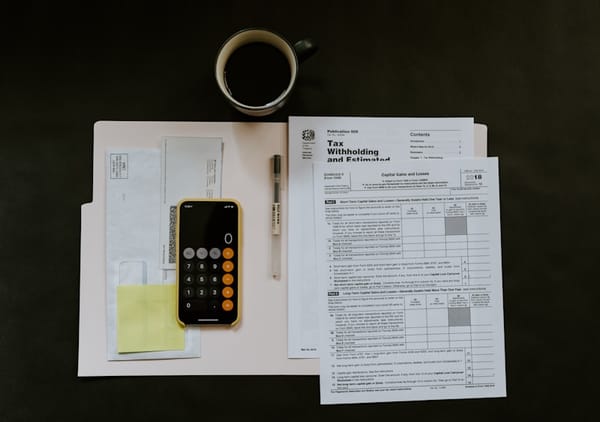
If you're using Kraken to buy USDC and convert to pesos, the IRS considers each transaction a taxable event — even stablecoin swaps. CoinTracking connects directly to your Kraken account, automatically imports every trade, and generates IRS-ready Form 8949 and Schedule D reports. Free for up to 200 transactions. Track your crypto taxes free →
💰 From Cash Flow Abroad
- Using crypto to move money? Make sure you understand the tax implications. Read Crypto and Taxes as a US Expat: What the IRS Actually Requires
❓ Frequently Asked Questions
Is it legal to use crypto to convert USD to COP in Colombia?
Yes. Colombia does not prohibit the use of cryptocurrencies or stablecoins. Converting USDC to COP through ARQ is a legitimate financial transaction. However, large transfers may trigger reporting requirements under Colombian anti-money laundering regulations.
What is USDC and is it safe?
USDC (USD Coin) is a stablecoin pegged 1:1 to the US dollar. It’s issued by Circle, a regulated US financial company. Every USDC is backed by cash and short-term US treasuries held in regulated banks. It’s not a volatile cryptocurrency — 1 USDC always equals $1.
How much can I save using Kraken + ARQ vs traditional bank transfers?
On a $2,000 transfer, you’ll pay roughly $2–5 total in fees (Kraken trading fee + Polygon network fee). A bank wire costs $40–60+, and services like Western Union charge $15–30. Over a year of monthly transfers, that’s $200–600+ in savings.
Can I use ARQ without Kraken?
Yes. You can fund ARQ directly via PSE bank transfer in Colombia (deposit COP), or send USDC from any crypto wallet or exchange that supports Polygon. Kraken is just the cheapest way to buy USDC from a US bank account.
What happened to DolarApp?
DolarApp rebranded to ARQ in March 2026 after reaching 2 million users and raising $70 million from Sequoia and Founders Fund. Same app, same features, same team — just a new name and expanded product lineup. If you had DolarApp, it auto-updated to ARQ.
🇨🇴
Get the next Colombia guide in your inbox
Join 10,000+ expats and future expats. No spam, just useful guides.



Comments
Loading comments...